

+ 38 (097) 036 29 32
content_copy
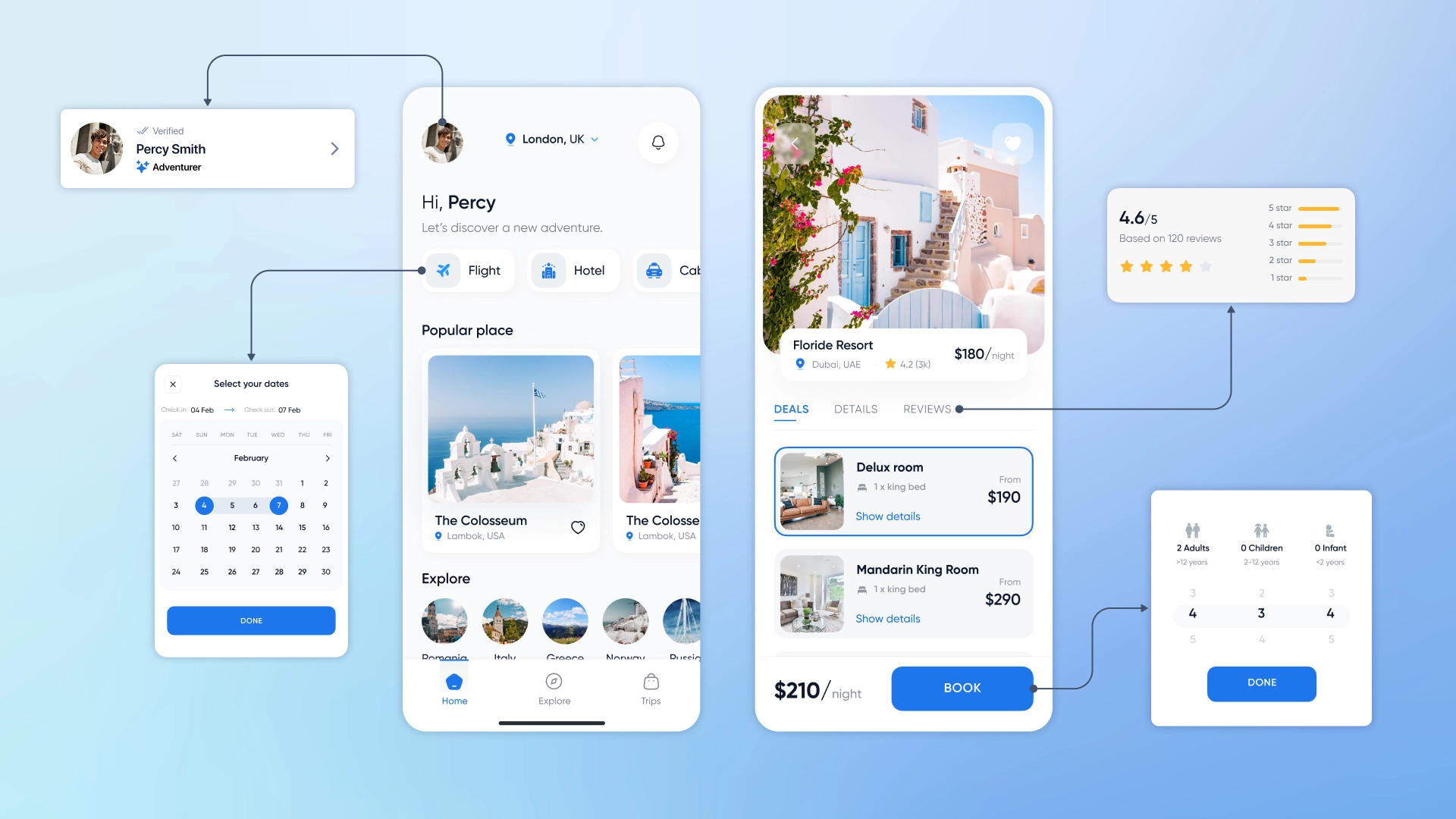
The web interface is the most important element of building a successful online business. On the one hand, it helps the company to stand out from competitors and form its brand identity, and on the other hand, it creates an attractive, simple and convenient space for users to interact with the brand.
According to Austrian analysts, UI determines a user’s first impression of a product by 94%. Accordingly, a competently designed and developed interface helps companies to achieve their main business goals faster and with less marketing investment: increase sales, increase profits, attract and retain customers.
In this article, we will talk about what a web interface is, what are its key elements and principles of construction. This will help you better understand the specifics of web design and choose the best team to implement your project.
Web interface design, or UI for short, is the process of creating visual components with which users interact on a site to solve certain tasks. Its development covers the creation of all visual elements that make up the appearance of an online resource: buttons, icons, typography, colors and much more.
However, UI design focuses on more than just an attractive appearance. It also takes into account the user experience, the emotions experienced by visitors when interacting with the site and ease of use. For example, with the help of various techniques and techniques, such as interactivity, gradients, etc., designers can draw the attention of users and help them solve their tasks faster.
The ultimate goal of a UI designer is to create an interface that fulfills the company’s functional requirements, reflects its individuality in the market, and at the same time is visually beautiful and comfortable for visitors.
User interface elements are components used to create interactive websites and applications. For the user, they are points of interaction with the online service and help him in solving certain tasks: navigating the site, ordering goods, filling out forms, and so on.
There are four main categories of user interface elements:
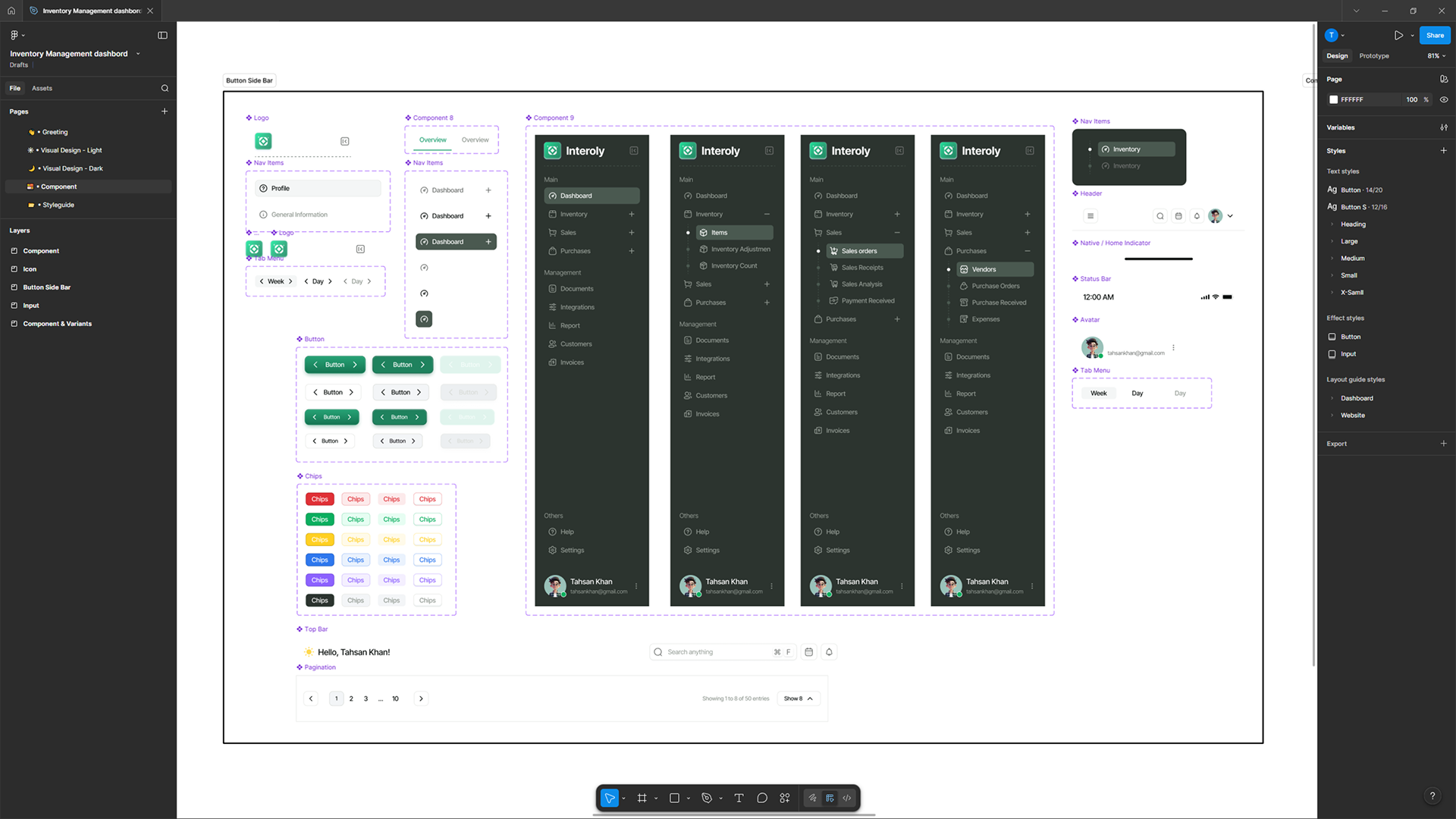


Interface components
UI and UX are two different, but interrelated areas in the design and design of interfaces for digital products and services.
UX design is focused on the experience that the user receives when interacting with the product. The main goal of a UX designer is to create an interface that will be comfortable, efficient and satisfy the needs of the client.
The focus of UI design is on the visual and interactive components of the service interface. The task of a UI designer is to create an attractive, authentic and intuitive visual environment that will form the necessary emotional background and user experience in the process of interaction with the product.
So, let’s break down the differences between UI and UX point by point, they look like this:
At the same time, the connection between UI and UX in the development of interfaces is obvious: a good UX makes a product efficient, consistent and convenient, and a competent UI is visually attractive, pleasant and easy to use.

Improving the quality of web interfaces helps brands improve the effectiveness of interactions with customers on the site, and also contributes to the achievement of core business goals. To understand exactly how, we offer to consider five main tasks that UI design solves:
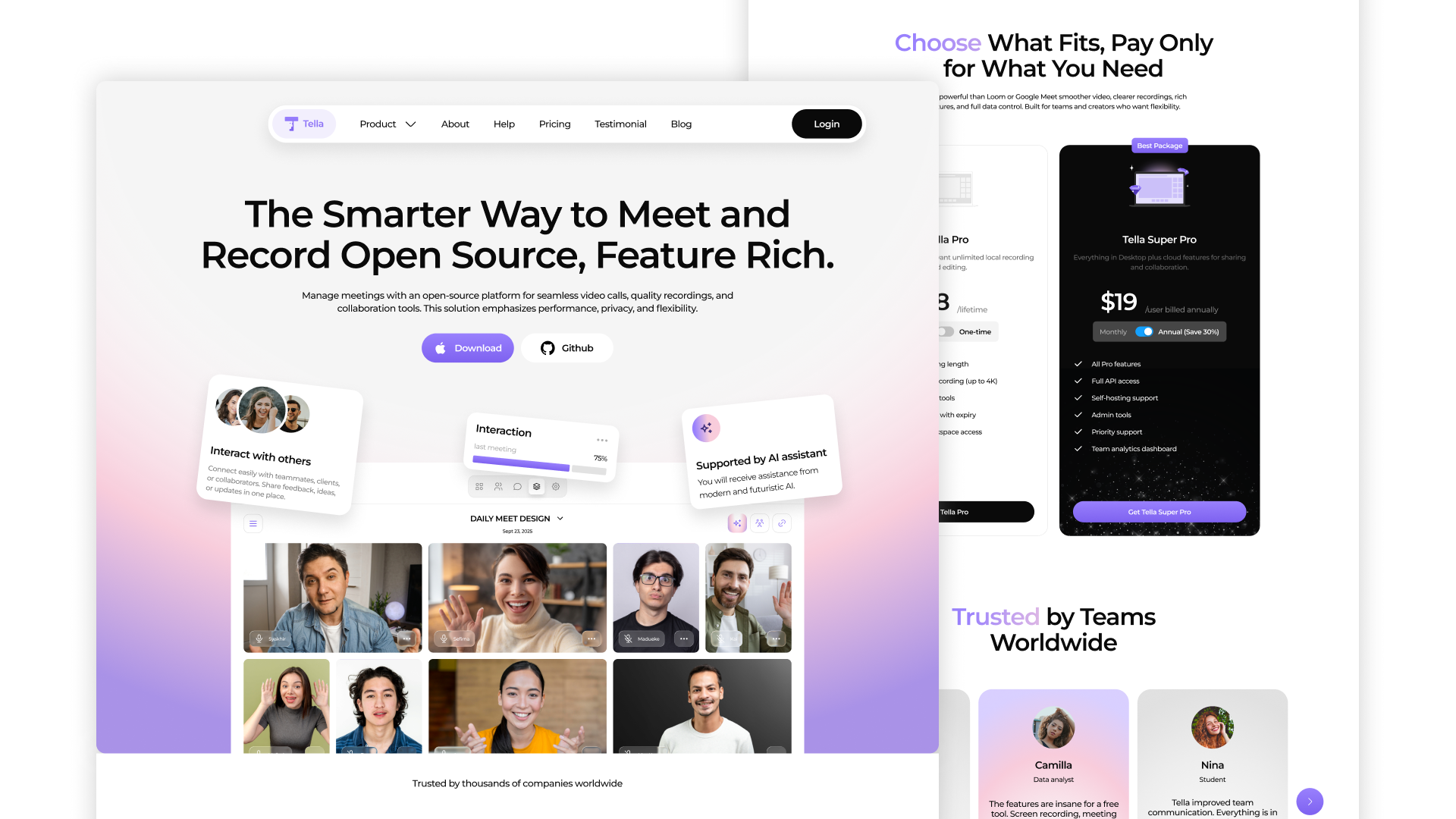
A good UI design should be coherent and unobtrusive. It creates the necessary emotional background, keeps the user’s attention and helps him to perform the desired targeted action, for example, to make a purchase, register or subscribe to a newsletter. In order for the interface to cope with its function, designers follow five basic principles when developing it. Let’s consider them in more detail.
Minimization of cognitive load
Cognitive load is the amount of mental effort that the user needs to make to interact with the product. Its reduction simplifies the perception of the site, reduces the likelihood that customers will miss something important or refuse to use the resource.
To reduce the cognitive load, UI designers avoid using old links, irrelevant images and blocks of meaningless text – each element in the design must carry a certain semantic load, otherwise it is better to abandon it. In addition, experts apply the principles of good content organization, such as grouping related elements, using bullets, clear headings and clear calls to action.
Compliance with the sequence
When creating comfortable and customer-oriented interfaces, consistency plays a very important role. There are two main types of sequences in web design:
Visual – allows users to navigate the interface faster and perform targeted actions more easily. This is achieved by using uniform styles and templates for all elements such as color palette, typography and icons.
Functional – assumes the same behavior of elements during similar processes. This increases the efficiency of the interface, makes it predictable and intuitive.
Clarity is more important than complexity
Keeping the interface clean and clear helps users quickly find the features they need and complete their current tasks. This increases their satisfaction and motivates them to continue interacting with the Cosmos product. That’s why simplicity of design is always a priority, even if it requires simplifying complex functions.
Today, there are many tools and technologies that help designers design and create unique interfaces for websites, applications, and other digital products. Each team chooses the ones they consider the most effective for their processes, so we will not describe them all, but we will talk about what we constantly use in our work:

The development of responsive web interfaces is a complex structured process, during which designers need to study the target audience of the project in detail and find optimal visual solutions to meet their needs. Usually, the creation of a design is carried out in several stages:
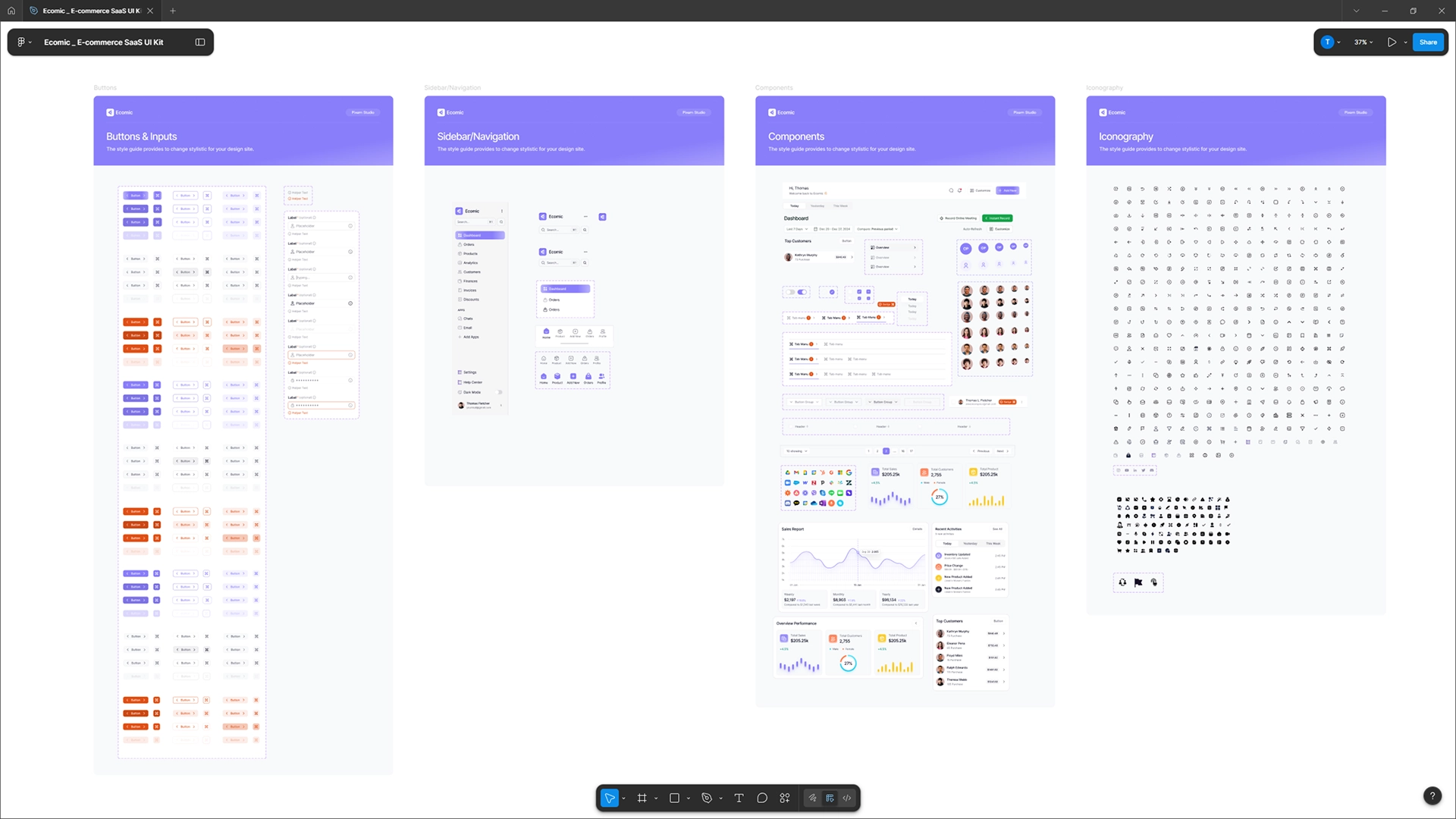
AVADA MEDIA team has extensive experience in implementing interfaces for websites and web systems of any complexity, in various business areas. Before starting the development, we conduct a thorough analysis of the client’s business, project features and the needs of the target audience, which allows our specialists to create effective solutions aimed at solving specific business tasks.
We pay great attention to design and believe that the quality of the final interface depends on it. Therefore, at this stage, we do not just form a technical task described in words, but provide the client with a functional prototype that gives a complete idea of how the interface will look and work. This saves time and budget of the project, and also gives the client the opportunity to get the expected result.
Use the experience, advanced knowledge of our specialists and the possibilities of innovative technologies to implement the interface of your web project – fill out the feedback form. We will carefully study the request and contact you for a detailed discussion of the project.
Why do you use ready-made UI components instead of building them from scratch?
Do you train the client's teams to use and manage the web interface you've created?
Can I make changes to the web interface after it's launched?
How much does AVADA MEDIA web interface development cost?
Contact the experts Have a question?
Developed by AVADA-MEDIA™
The user, filling out an application on the website https://avada-media.ua/ (hereinafter referred to as the Site), agrees to the terms of this Consent for the processing of personal data (hereinafter referred to as the Consent) in accordance with the Law of Ukraine “On the collection of personal data”. Acceptance of the offer of the Consent is the sending of an application from the Site or an order from the Operator by telephone of the Site.
The user gives his consent to the processing of his personal data with the following conditions:
1. This Consent is given to the processing of personal data both without and using automation tools.
2. Consent applies to the following information: name, phone, email.
3. Consent to the processing of personal data is given in order to provide the User with an answer to the application, further conclude and fulfill obligations under the contracts, provide customer support, inform about services that, in the opinion of the Operator, may be of interest to the User, conduct surveys and market research.
4. The User grants the Operator the right to carry out the following actions (operations) with personal data: collection, recording, systematization, accumulation, storage, clarification (updating, changing), use, depersonalization, blocking, deletion and destruction, transfer to third parties, with the consent of the subject of personal data and compliance with measures to protect personal data from unauthorized access.
5. Personal data is processed by the Operator until all necessary procedures are completed. Also, processing can be stopped at the request of the User by e-mail: info@avada-media.com.ua
6. The User confirms that by giving Consent, he acts freely, by his will and in his interest.
7. This Consent is valid indefinitely until the termination of the processing of personal data for the reasons specified in clause 5 of this document.
Send CV
Contact us in any convenient way for you:
+ 38 (097) 036 29 32